What Size TV Mount Do You Need?
- Mario Menendez

- Mar 15
- 6 min read
A 65-inch TV can look perfectly centered on the wall and still be mounted on the wrong bracket. That is usually when people find out that TV size is only part of the answer.
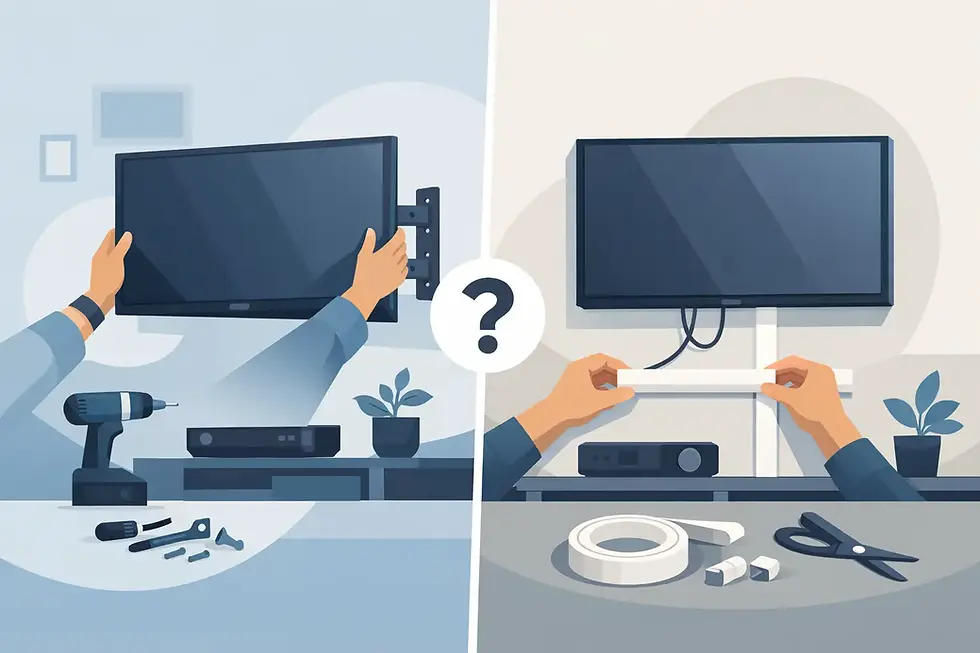
If you are asking, what size tv mount do i need, the real question is whether the mount matches your TV’s weight, VESA pattern, and wall type. Get one of those wrong, and the install can end up crooked, unstable, or limited in movement. Get them right, and the TV sits clean, secure, and exactly where you want it.
What size TV mount do I need? Start with 3 numbers
Most people shop by screen size first. That makes sense, but it is not enough on its own. A mount has to match three specs: your TV’s screen size range, your TV’s weight, and the VESA mounting pattern on the back.
Screen size is the broad filter. A mount may say it fits 42-inch to 75-inch TVs, for example. If your TV is 55 inches, you are in range. But that alone does not confirm compatibility.
Weight matters just as much. Some newer TVs are surprisingly light, while older models can be much heavier even at the same screen size. The mount’s rated capacity should comfortably exceed the TV’s actual weight. If your TV weighs 48 pounds and the mount is rated for 50, that is technically within range, but it leaves very little margin. A higher-rated mount is usually the safer choice.
The third number is the VESA pattern. This is the spacing between the mounting holes on the back of the TV, measured in millimeters. Common sizes include 200 x 200, 400 x 400, and 600 x 400. Your mount must support that pattern or use approved adapter rails.
So when someone asks what size tv mount do i need, the best answer is this: you need a mount that fits your TV size, exceeds the TV weight, and matches the VESA pattern exactly.
Why TV size alone can be misleading
Two 65-inch TVs can need different mounts. One may use a 300 x 300 VESA pattern and weigh under 40 pounds. Another may use a 400 x 400 pattern and weigh much more. If you buy a mount based only on the screen size printed on the box, you can end up with hardware that does not line up or does not give you the support you need.
This gets even more important with extra-large TVs. Once you move into 75-inch, 85-inch, and bigger screens, the margin for error gets smaller. Bigger TVs put more stress on the mount and wall, especially if you want a full-motion arm that extends out.
That does not mean every large TV needs the biggest mount available. It means the bracket needs to be matched carefully. Oversizing the mount without checking the hole pattern and hardware can be just as frustrating as buying one that is too small.
The main mount types and how size affects the choice
The right mount is not only about whether the TV fits. It is also about how you want the TV to sit and move on the wall.
Fixed mounts
A fixed mount keeps the TV close to the wall and does not tilt or swivel. It is the cleanest-looking option and often the simplest if the viewing angle is straight on. For many living rooms, bedrooms, and offices, this is enough.
Because fixed mounts stay close to the wall, they create less leverage on the mounting points. That can make them a solid choice for larger TVs when the goal is a sleek, stable setup.
Tilting mounts
A tilting mount lets the TV angle slightly downward. This is useful when the TV will be mounted above a fireplace, dresser, or higher wall position. The tilt helps reduce glare and makes the screen easier to watch from below.
Size matters here because larger TVs mounted high can become uncomfortable to view if they sit flat against the wall. A tilt feature can solve that, but the mount still needs to be rated for the TV’s weight and dimensions.
Full-motion mounts
A full-motion mount extends, swivels, and tilts. It gives the most flexibility, especially in open layouts, corner installs, or spaces where seating shifts around.
This type puts more force on the wall because the TV moves away from the mounting surface. That is why matching the size and weight rating is especially important. A full-motion mount for a 43-inch TV is very different from one designed for an 85-inch screen. Wall structure matters more here too.
How to find your TV’s VESA pattern
If you look at the back of the TV, you will see four mounting holes in a square or rectangle. Measure the horizontal distance between the left and right holes, then the vertical distance between the top and bottom holes. Measure in millimeters if possible.
If the holes are 400 mm apart horizontally and 300 mm vertically, your VESA pattern is 400 x 300. That is the number your mount must support.
You can also check your TV manual or model specs. That is usually faster and more accurate than measuring by hand. If you are between sizes or using rails, compatibility still needs to be verified before installation starts.
Your wall can change the answer
A mount that fits your TV still has to work with your wall. Drywall over wood studs is common and usually straightforward when the studs are located correctly. Concrete, block, brick, metal studs, and fireplace surfaces can require different anchors, tools, and planning.
This is where DIY installs often go sideways. A mount may be rated for a certain TV size, but if it is not secured properly into the wall structure, the rating does not mean much.
Full-motion mounts are the most sensitive to wall conditions because the arm extends outward and increases the load on the fasteners. Large TVs on masonry or above fireplaces can also call for extra care with placement, heat clearance, and cable routing.
If your wall type is unusual or the TV is heavy, professional installation is usually the safer move.
Placement matters as much as mount size
People usually focus on whether the mount fits the TV. Just as important is whether the final position fits the room.
A mount that is technically compatible can still create a bad setup if the TV ends up too high, off-center, or unable to angle toward the seating area. If you want hidden wires, that also needs to be planned before the bracket is installed.
In family rooms and bedrooms, eye-level viewing is generally the most comfortable. In commercial spaces like waiting rooms, conference rooms, or fitness studios, the ideal height may be different. That is one reason there is no single best mount size by screen size alone. The room layout changes the recommendation.
Quick examples by TV size
For a 32-inch to 43-inch TV, a smaller fixed or tilting mount is often enough, as long as the VESA pattern and weight line up. These TVs usually give you more flexibility with placement.
For a 50-inch to 65-inch TV, you are in the range where mount quality starts to matter more. This is a common size for living rooms, and it is where many homeowners choose between a slim fixed look and a full-motion option.
For a 70-inch to 85-inch TV, you need to pay close attention to weight rating, wall support, and the width of the wall plate. A heavy large-screen TV on a cheap mount is not a good risk.
For anything above 85 inches, this is usually not a guess-and-go project. The hardware, wall structure, and lift involved all need to be right.
When to stop guessing and get it installed properly
If your TV is large, your wall is tricky, or you want a clean finish with concealed cords, the safest answer is to have the mount and placement checked by someone who does this every day. That is especially true for brick walls, metal studs, corner mounts, fireplaces, and multi-TV setups.
A professional installer can confirm the correct mount size, locate secure anchor points, and set the height and position so the room looks finished instead of improvised. For homeowners and property managers who want it done quickly and correctly, that saves time and avoids expensive wall repairs.
At Pronto Handyman, TV mounting is built around that exact goal: secure placement, clean lines, and a setup that looks right the first time.
If you are still wondering what size tv mount do i need, the short answer is this: choose the mount by compatibility, not by guesswork. A secure fit on the TV and a secure connection to the wall matter more than the number on the screen. Once those pieces line up, the room starts to feel finished.